PDF Diff App


Professional PDF Comparison Tool
The ultimate solution for comparing PDF documents side-by-side with powerful annotation capabilities. Available for macOS, Windows, and Linux.
🎯 Why PDF Diff App?
Comparing documents has never been easier. Whether you're reviewing contracts, analyzing reports, or tracking document changes, PDF Diff App provides the tools you need in an intuitive, beautiful interface.
Perfect For:
- 📋 Legal Professionals: Compare contract versions and track changes
- 📊 Business Analysts: Review reports and documentation
- 🎓 Researchers: Analyze different versions of papers
- 📝 Editors & Writers: Track document revisions
- 💼 Anyone who works with multiple PDF versions
✨ Key Features
🔍 Intelligent Comparison
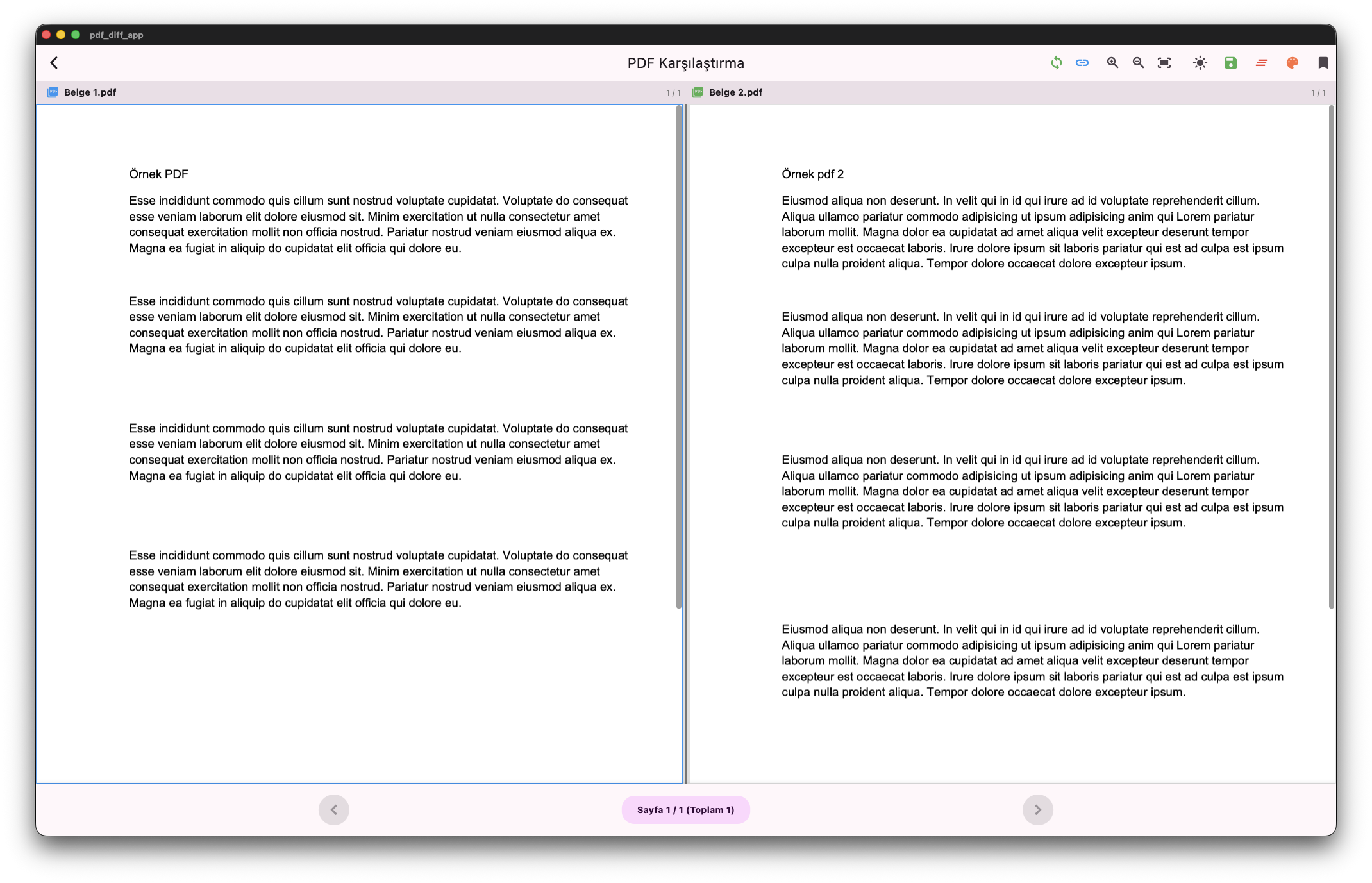
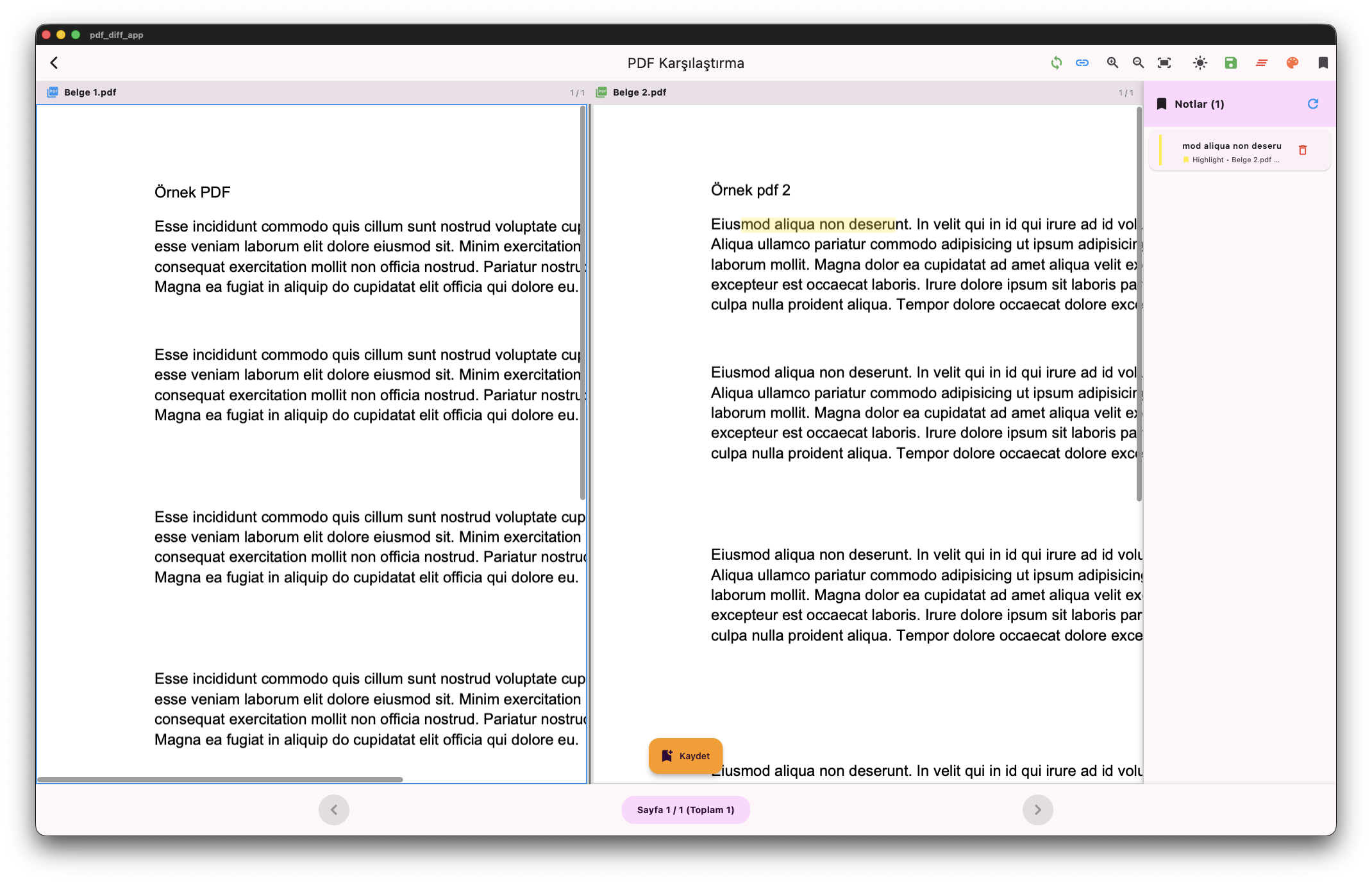
- Side-by-Side View: See both documents simultaneously
- Synchronized Navigation: Scroll and zoom both PDFs together, or independently
- Resizable Panels: Customize your workspace by adjusting panel sizes
- Smart Page Management: Jump to any page instantly
🎨 Powerful Annotations
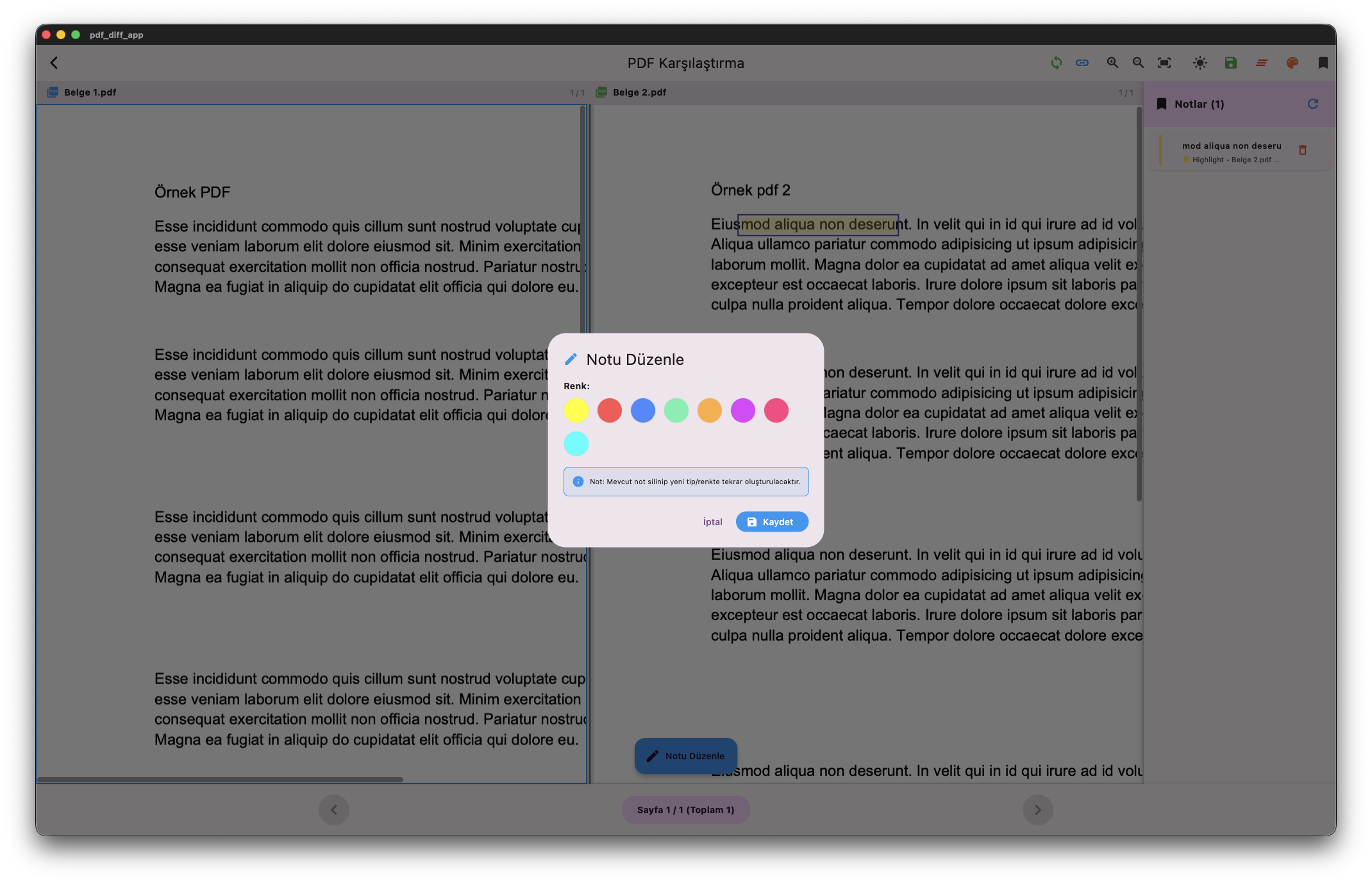
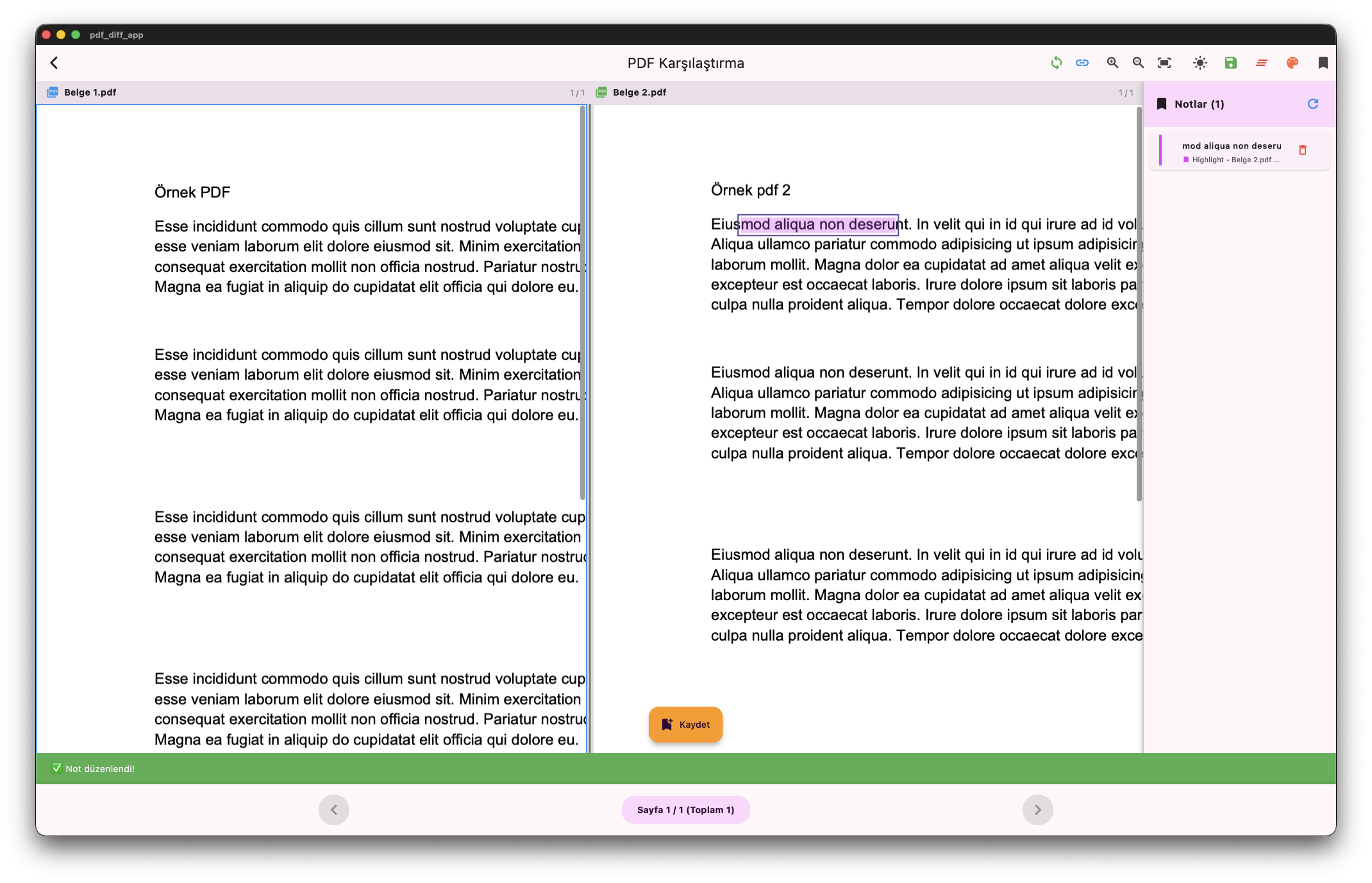
- Rich Highlighting: Choose from 6 vibrant colors
- Text Comments: Add notes anywhere in your documents
- Multiple Styles: Underline, strikethrough, and more
- Edit & Manage: Easily modify or delete annotations
- Auto-Save: Your work is automatically preserved
� Multilingual Support
Switch between languages instantly:
- 🇬🇧 English
- 🇹🇷 Türkçe
- 🇩🇪 Deutsch
� Beautiful Themes
Personalize your experience with 5 stunning themes:
- 🔵 Blue - Classic and professional
- 🌊 Ocean - Calm teal and cyan tones
- 🌸 Pastel - Soft purple and pink
- 🌲 Forest - Natural green hues
- 🌅 Sunset - Warm orange and red
Choose Your Mode: System | Light | Dark
� Recent History
- Quick access to your recent comparisons
- Pick up where you left off
- No time wasted searching for files
💻 Download
macOS
 Ahmet Gezmen
Requirements: macOS 10.15 (Catalina) or later
Windows
Requirements: Windows 10 or later (64-bit)
Linux
Requirements: Ubuntu 20.04+ or equivalent
� Getting Started
- Download & Install: Choose your platform and download the app
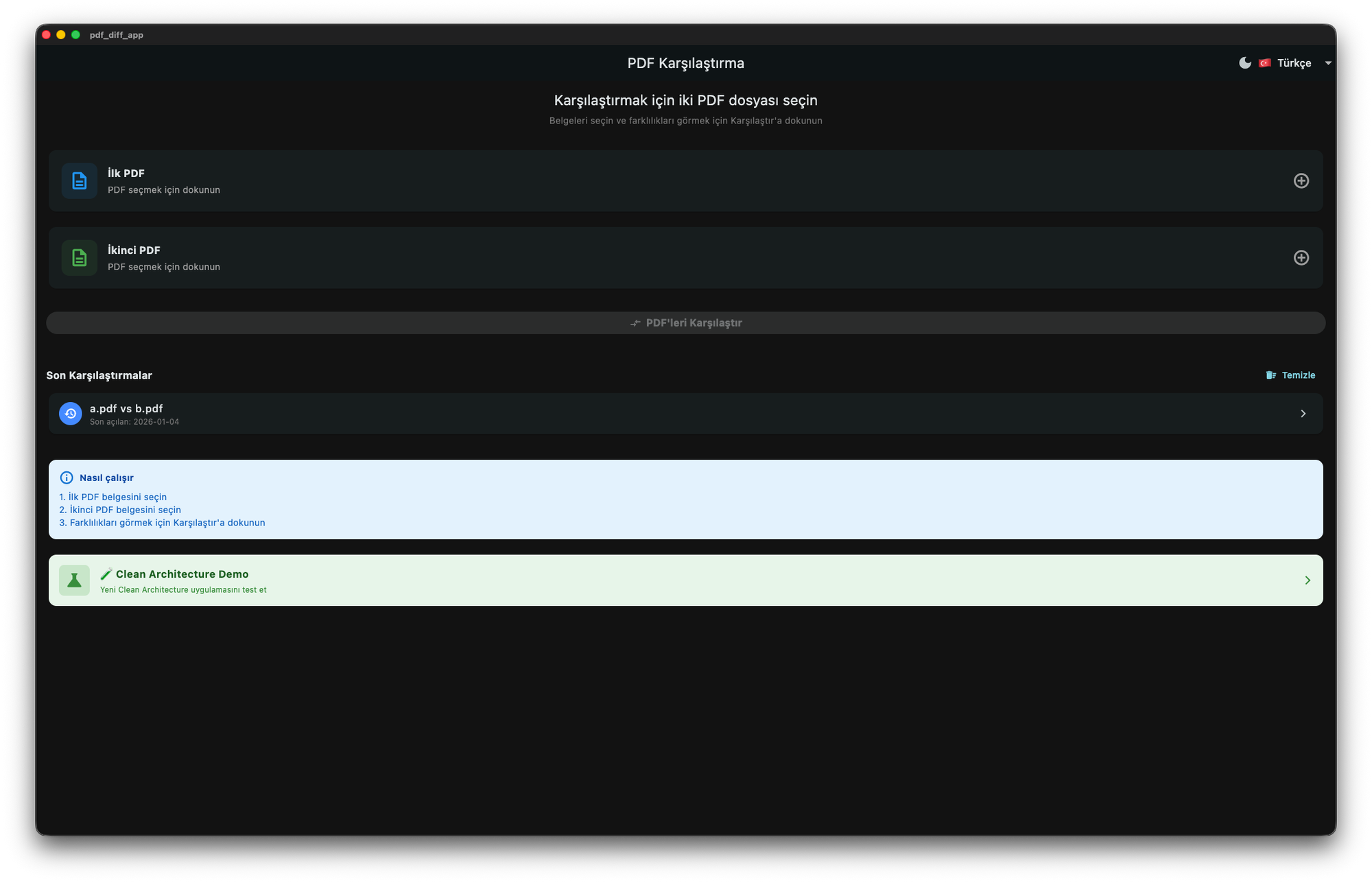
- Select Your PDFs: Click to select two PDF files you want to compare
- Compare: Hit the compare button to see them side-by-side
- Annotate: Use the toolbar to highlight, comment, and analyze
- Customize: Choose your language and preferred theme
It's that simple!
📸 Screenshots

💡 How to Use
Basic Comparison
- Launch the app
- Select "First PDF" and "Second PDF"
- Click "Compare PDFs"
- Use the toolbar for navigation and annotations
Pro Tips
- Quick Language Switch: Use the language dropdown in the top bar
- Theme Customization: Click the theme icon to access all visual options
- Panel Focus: Click on a PDF panel to activate it for independent zooming
- Right-Click Menu: Right-click anywhere to add comments quickly
- Sync Toggle: Use sync buttons to enable/disable synchronized navigation
🎯 Key Benefits
✅ Save Time: Compare documents in seconds, not minutes
✅ Stay Organized: Recent history keeps your work at your fingertips
✅ Work Your Way: Customize themes and languages to your preference
✅ Never Lose Work: Auto-save keeps your annotations safe
✅ Multi-Platform: Works on macOS, Windows, and Linux
✅ Beautiful Design: Modern, intuitive interface that's a pleasure to use
📧 Support
Have questions or need help?
Email: contact@ahmetgezmen.com
Website: https://ahmetgezmen.com
🔒 Privacy & Security
Your documents stay on your device. PDF Diff App works completely offline and never uploads your files to any server.
Made with ❤️ for professionals who demand the best tools
🆕 Latest Updates
Version 1.0.0
- ✨ Initial release
- 🌍 Multi-language support (EN, TR, DE)
- 🎨 5 beautiful themes
- 📝 Rich annotation system
- 🔄 Synchronized navigation